
A free planner that keeps your schools, prerequisites, hours, letters, essays, résumé and interview practice in one place, so you always know your next step.
Let's be honest: applying to PA school feels like running ten projects at once.
You have a spreadsheet of schools that no longer matches what's on their websites. Your patient care hours live in a notes app. Your personal statement is in a Google Doc called "PS FINAL final v3." And somewhere in your inbox is the email where Dr. Nguyen said yes to a letter… you think.
I get it. When I applied to five PA schools back in 2001, my "system" was a manila folder and a lot of sticky notes. It worked, barely. You deserve better.
So we built it. My PA School Planner is a free planner, connected to PA School Finder, that puts every part of your application in one place and tells you what to do next.
Here's a walkthrough with a sample applicant, Jordan, so you can see exactly how it works.
What is My PA School Planner?
It's a private, signed-in workspace for PA school applicants. You add your coursework, GPAs and experience once, save the programs you're considering, and the planner checks your record against each school's reported requirements.
The Starter plan is free, and it's not a teaser. You can build your whole profile, browse every program, save up to three schools, check your basic fit, track recommenders, run a draft check on your essays and try Maya, our AI interview coach.
Planner Plus is for when you're ready to apply in earnest. More on that below.
1. Start with your readiness dashboard
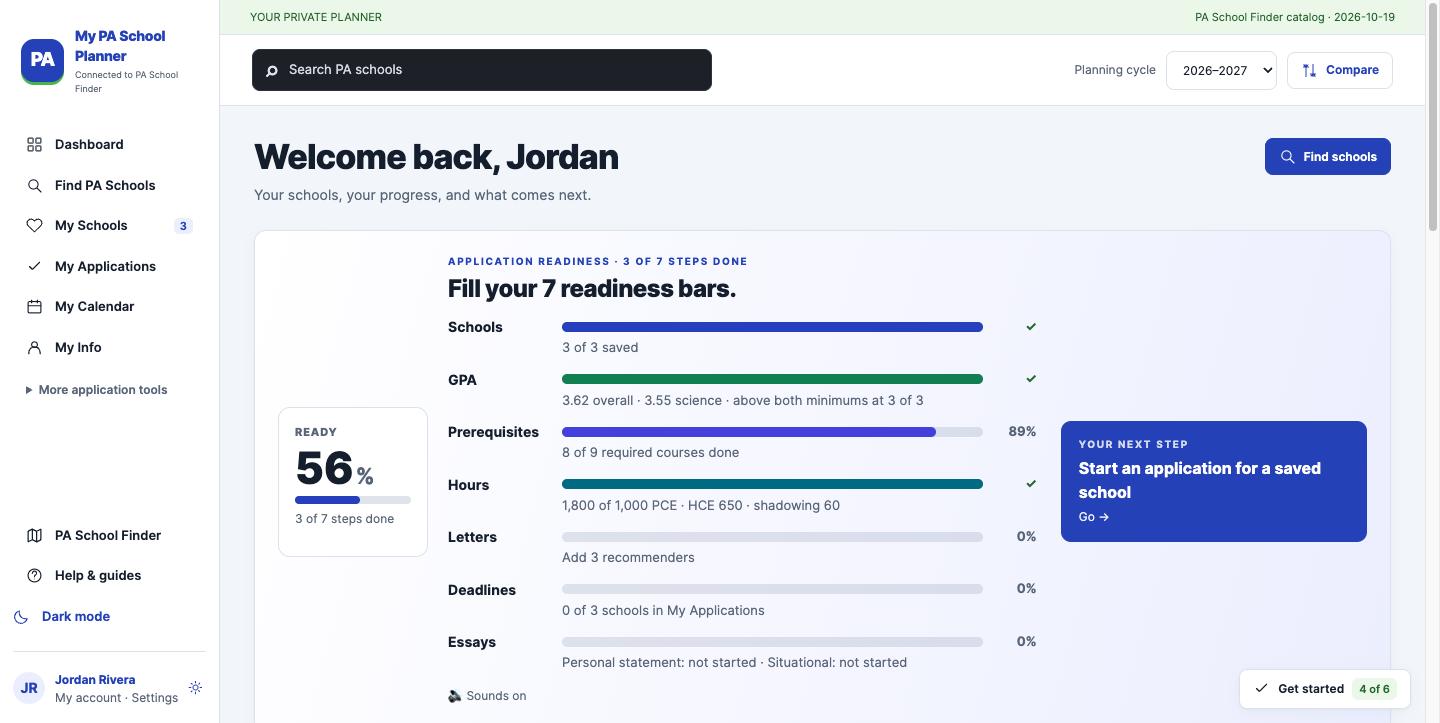
The dashboard turns "Am I ready?" into seven bars you can actually fill: schools, GPA, prerequisites, hours, letters, deadlines and essays.
Look at Jordan's screen above. Their GPA and hours are in good shape, prerequisites are at 89% (one course to go), and letters, deadlines and essays haven't started. That's a very normal place to be in the spring before you apply.
The best part is the "Your next step" card. Instead of staring at a to-do list, you get one clear move.
2. Save your schools and see how you stack up
Every saved program shows its deadline, minimum GPA, required patient care hours and tuition side by side. If a school needs something you haven't entered, the planner tells you ("2 checks need information") rather than guessing.
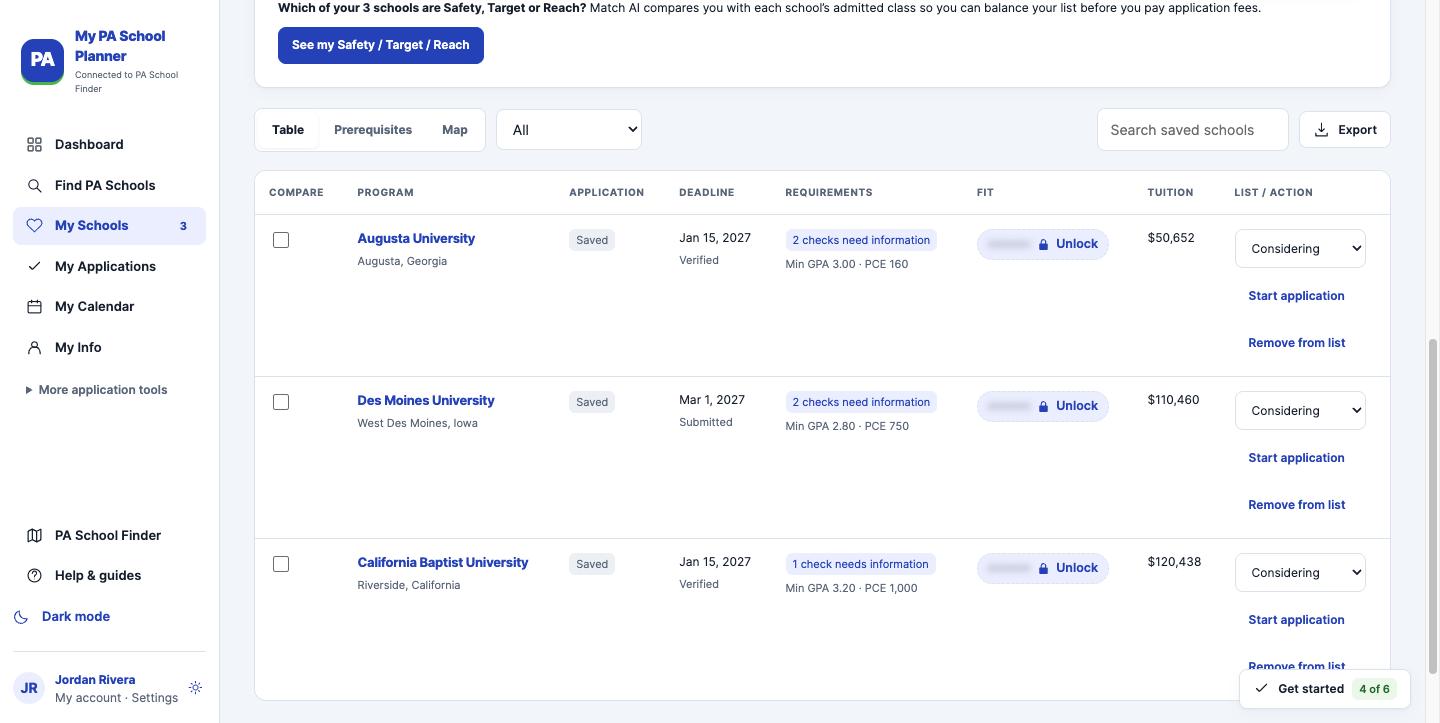
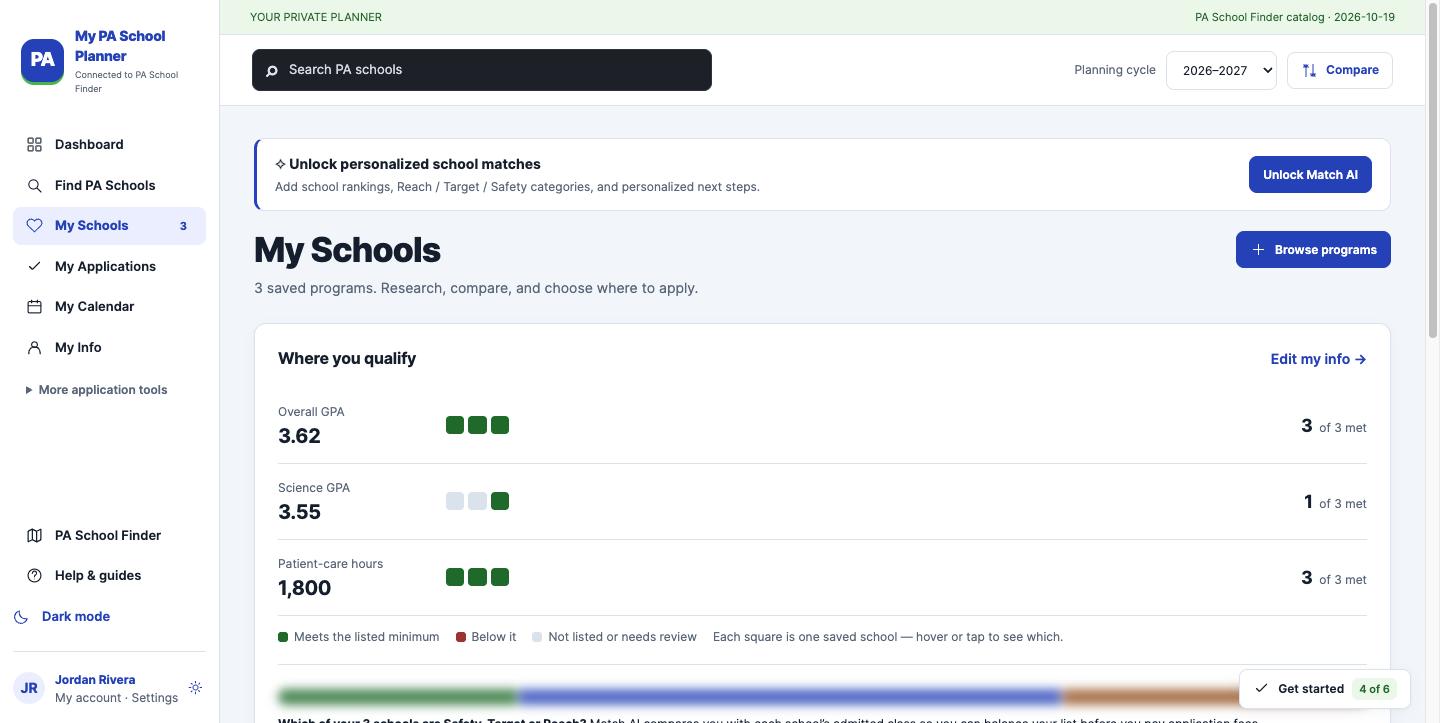
This is where most applicants waste money. CASPA charges for every program you add, and I see pre-PAs apply to schools they don't meet the minimums for all the time. (Please don't! It's a tough pill to swallow when the rejection is automatic.) For the real numbers, read the real cost of applying to PA school.
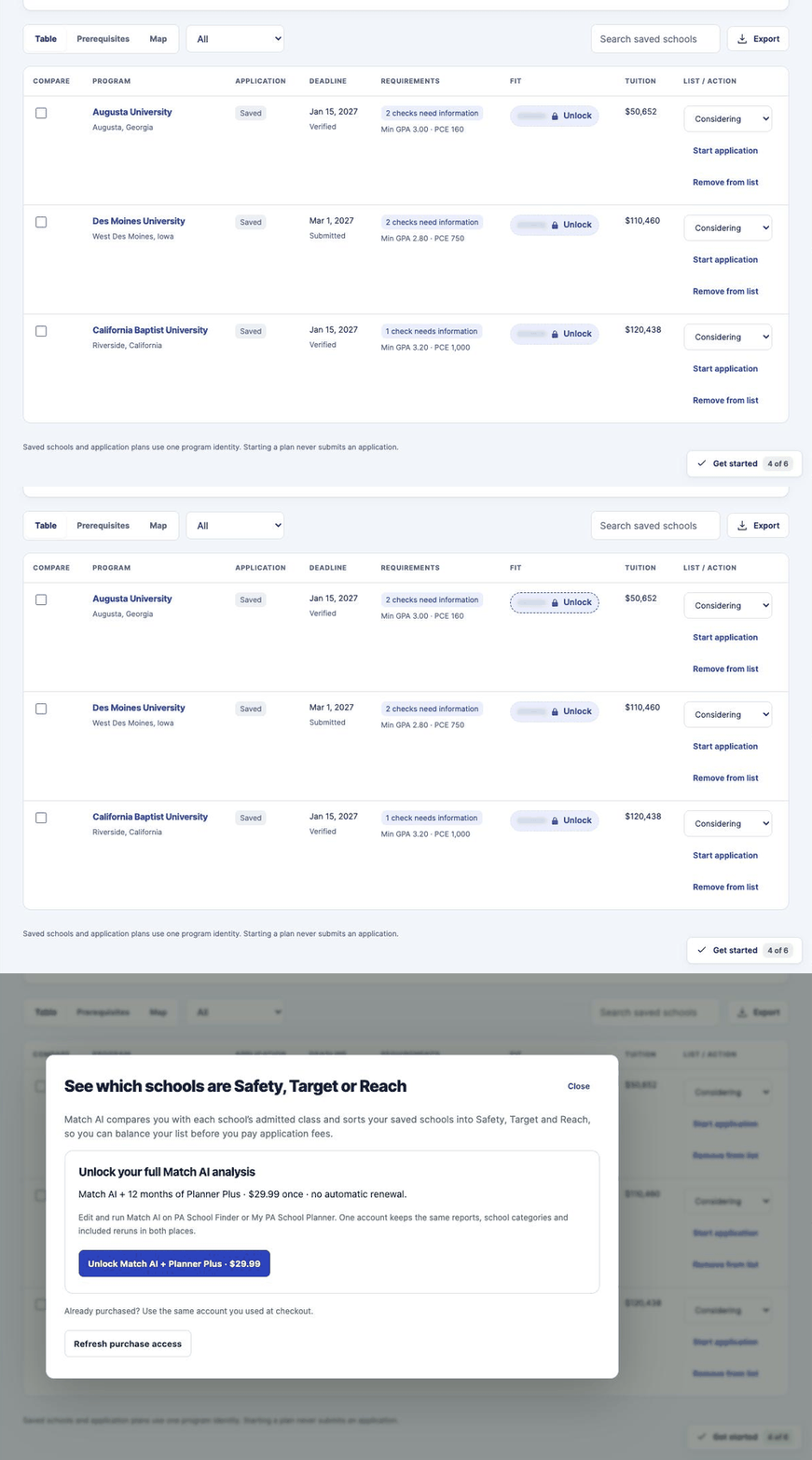
Want to know which schools are your Safety, Target and Reach? That's Match AI, which compares you with each school's admitted class. It's included with Planner Plus.
3. Map your prerequisites before they cost you a cycle
Missing one prerequisite can sink an otherwise great application. Every program lists its own, and no two lists match.
Starter shows you each school's recorded prerequisites. With Plus, you map your own coursework against every saved school and compare programs side by side, so you can see the one class that opens up three more schools.
If you're still building your schedule, start with my guide to designing the perfect pre-PA curriculum.
4. Log your patient care, healthcare and shadowing hours
Enter each experience once: role, organization, dates, hours, what you did and what you achieved. The planner totals your PCE, HCE, shadowing and volunteer hours and checks them against each school's minimum.
Jordan has 1,800 hours as a CNA, 650 as a scribe, 60 hours shadowing and 120 volunteering at a free clinic. Those entries do double duty, as you'll see in a minute.
Not sure what counts as PCE versus HCE? This is one of the most common questions I get, so I wrote the ultimate guide to healthcare experience for PA school.
5. Never miss a deadline
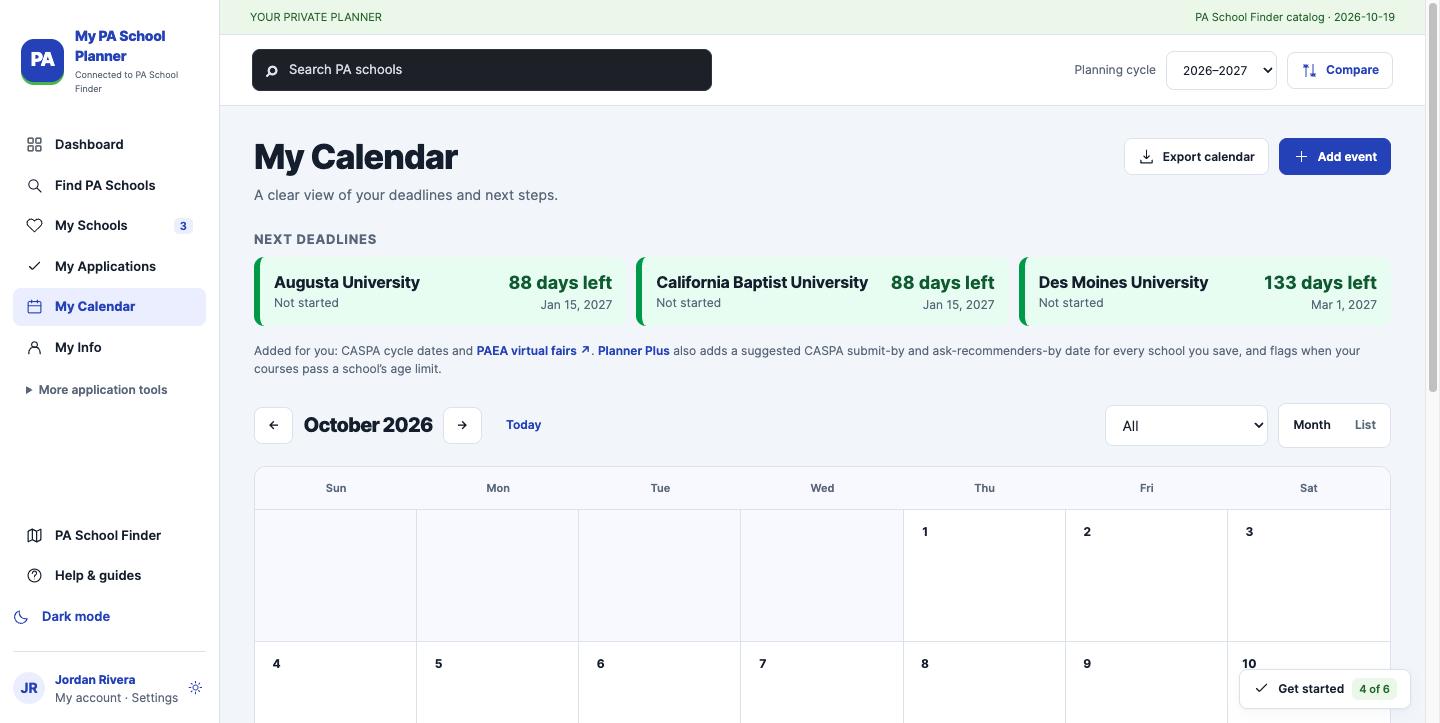
Every saved school's deadline lands on your calendar with a countdown. Starter gives you the deadline view; Plus adds calendar planning and lets you export the dates to the calendar you already use.
6. Keep your letters of recommendation on track
The planner reads each saved school's letter requirements and tells you exactly what you still need. In Jordan's case: three schools, and one requires a letter from a PA.
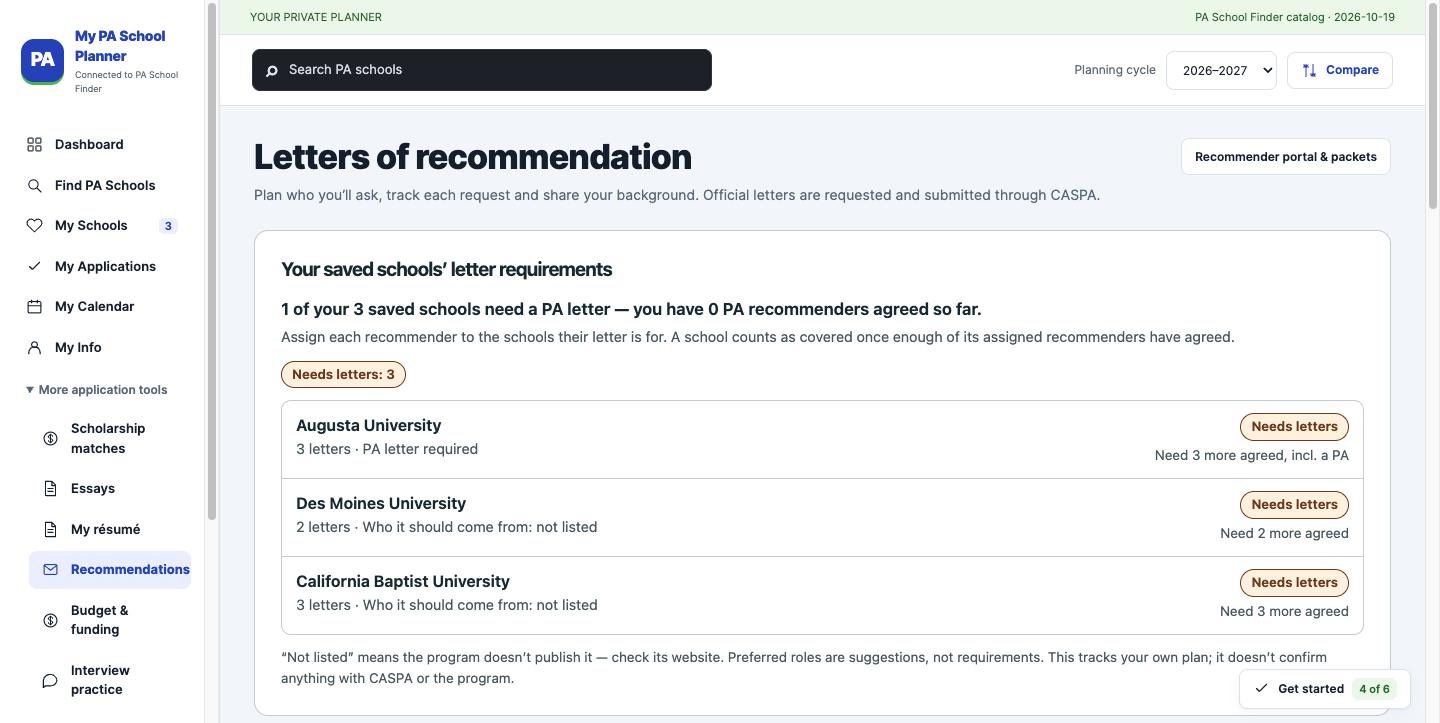
You can track who you asked for free. Plus adds request drafts, a brag sheet your recommenders can use, and reminders, because the people who mentor you want to help. You just have to make it easy for them.
7. Turn your experience into a polished résumé
Remember those experience entries? The planner turns them into a one-page résumé automatically. No formatting fights in Word.
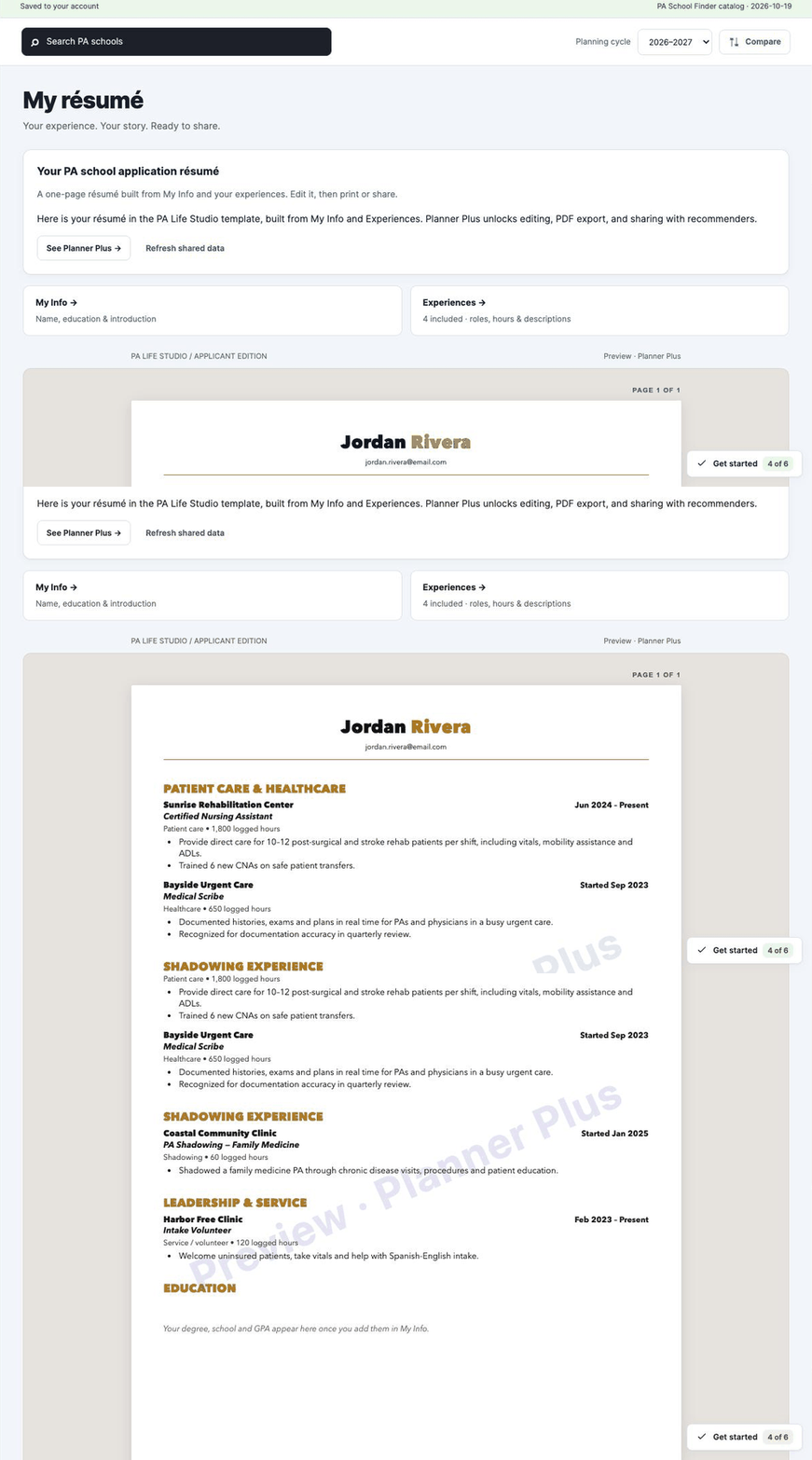
On Starter, you see your résumé in our PA Life Studio template (with a preview watermark) and can copy it as plain text. Plus unlocks editing every line, a clean PDF and sharing it with your recommenders.
Want to see what a strong one looks like? Here's a sample PA résumé.
8. Get instant feedback on your personal statement
Paste your draft, click "Check my draft," and you get feedback in seconds. It's free.
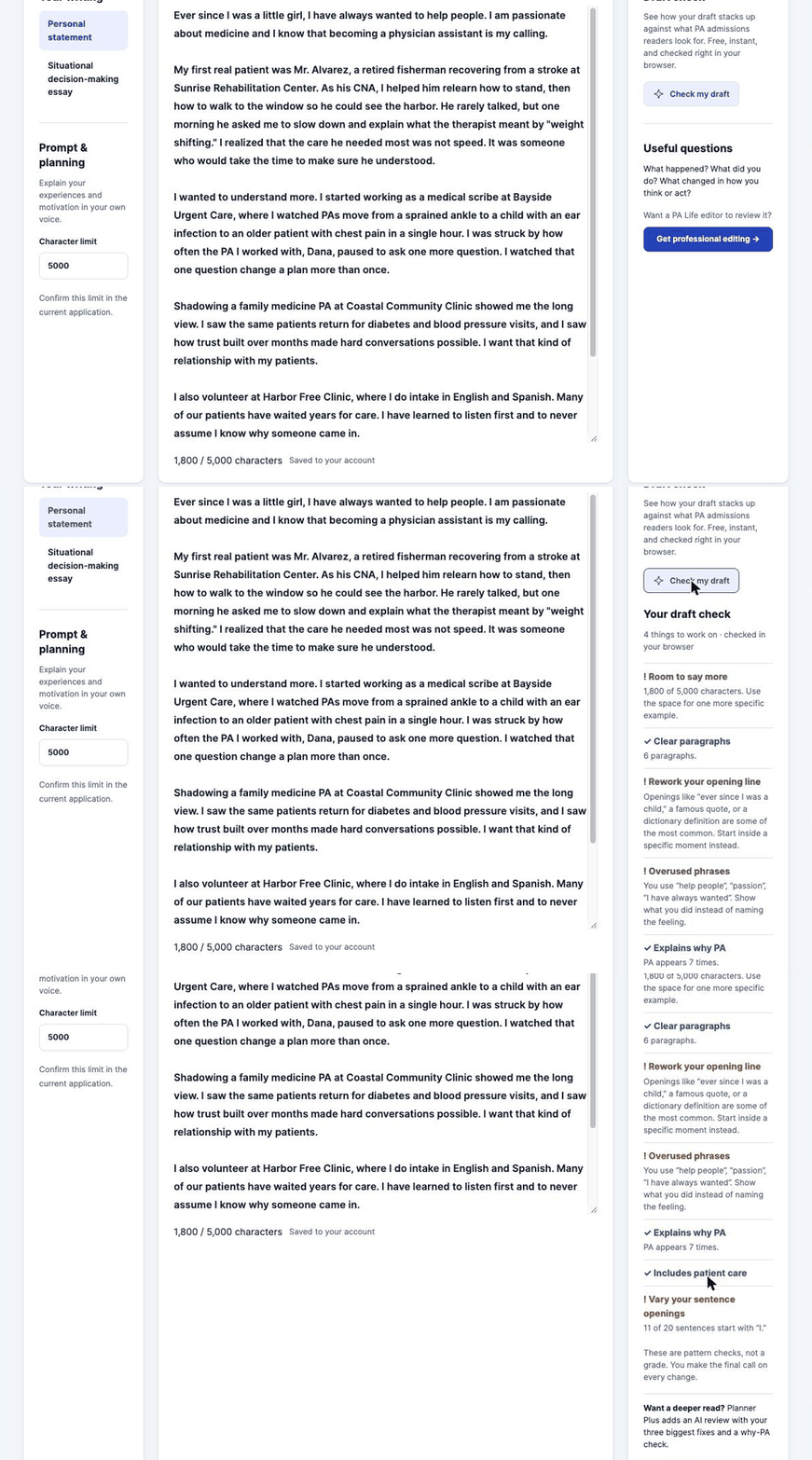
The draft check looks for the things I flag over and over when I edit essays:
- Cliché openings like "Ever since I was a child…" (Jordan's draft got caught on this one 🙃)
- Overused phrases like "help people" and "passion"
- Whether you make the case for PA specifically, not just medicine
- Patient care in the story
- Too many sentences starting with "I"
- Length against your character limit
These are pattern checks, not a grade. You make the final call on every change.
Planner Plus members can also request an AI review that names what's working and gives your three biggest fixes. It coaches; it never rewrites your essay for you. Your voice matters too much for that.
And when you want a human, a real PA Life editor is one click away. More on the "ever since I was a child" problem in PA personal statement hooks that work.
9. Practice your interview out loud with Maya
Reading interview questions is not the same as answering them out loud. Maya is our AI interview coach. She asks the question, listens to your answer and gives you spoken feedback.
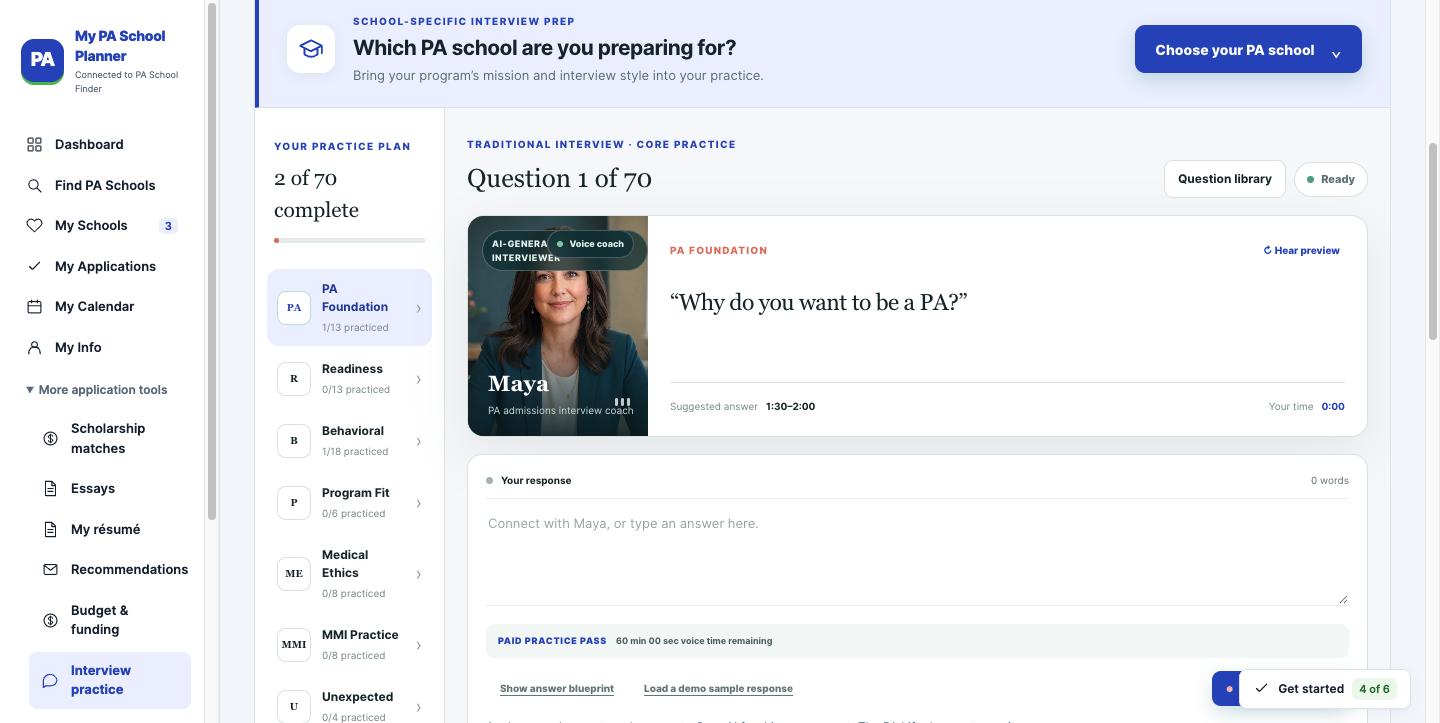
Everyone can try two practice questions free. Plus adds school-specific practice packs and a question notebook; live voice time uses a separate Maya pass. Pair it with mock interview practice and our guide to ethical interview questions.
Is the planner really free? Starter vs. Planner Plus
| Starter (free) | Planner Plus | |
|---|---|---|
| Profile, courses, GPA estimates, experience log | Included | Included |
| Browse every active program | Included | Included |
| Saved schools | Up to 3 | Up to 50 |
| School matching | Basic fit for 3 saved schools | Match AI report + full-catalog matches |
| Prerequisites | Read recorded prerequisites | Map coursework and compare |
| Deadlines | Deadline view | Calendar planning and export |
| Résumé | Template preview + plain-text copy | Editing, PDF and sharing |
| Letters of recommendation | Track who you asked | + request drafts, brag sheet and reminders |
| Essays | Draft check | + AI review |
| Budget planning | Not included | Included |
| Maya interview practice | 2 free questions | + school practice packs and notebook |
| AI advisor | Not included | 20 questions every 30 days |
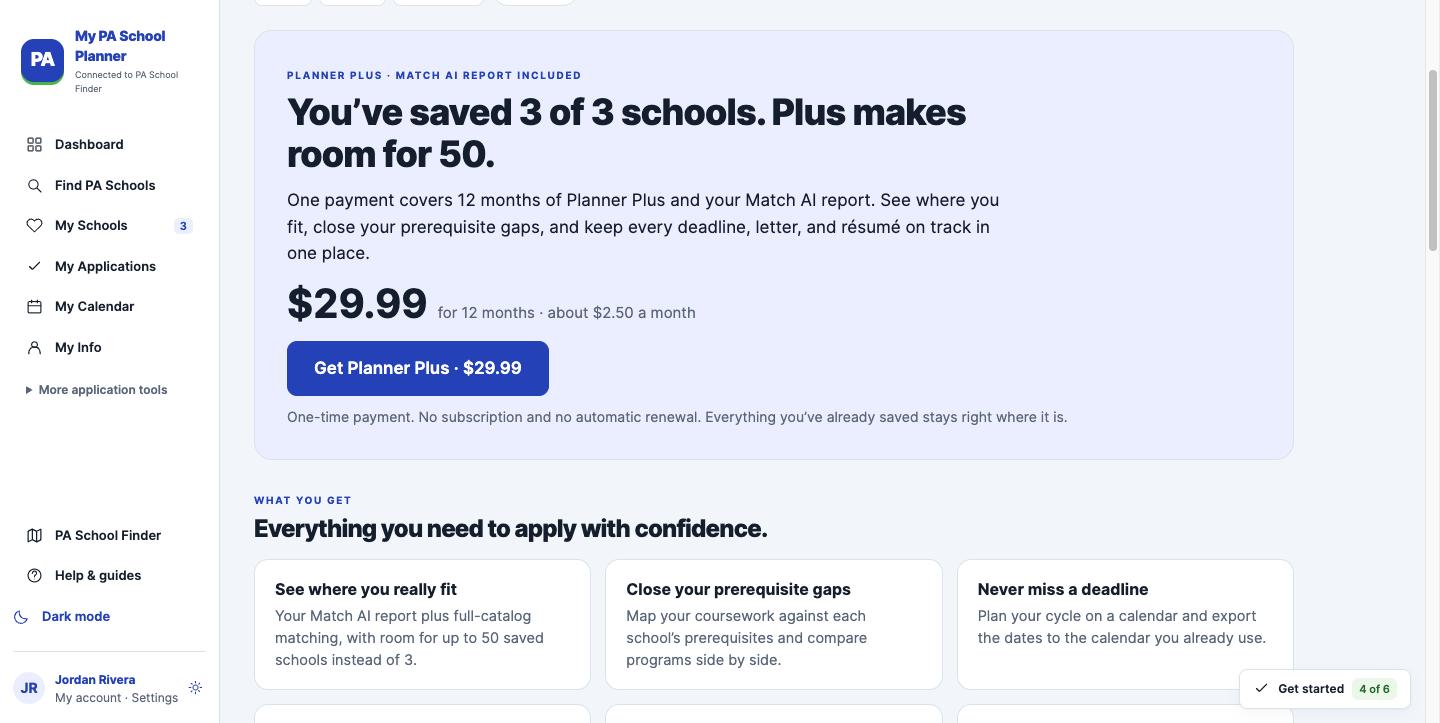
Planner Plus is a one-time payment of $29.99 for 12 months. No subscription, no automatic renewal, and everything you saved on Starter stays right where it is. That's less than the cost of adding one extra school in CASPA.
Frequently asked questions
Does the planner submit my CASPA application?
No. CASPA is still where you apply and where your recommenders submit letters. The planner is where you get organized before and during the cycle.
Is my information private?
Yes. Your planner is private to your account, and AI features only run when you ask for them.
Is this an admissions decision?
No. It's planning support built on each program's reported requirements. Always confirm the details on the program's own website before you apply.
I already use the PA School Applicant Logbook spreadsheet. Should I switch?
The applicant logbook is still a great free tool. The planner does the math for you: it checks your record against each school and keeps your letters, essays and résumé in the same place.
Your next step
Open the free planner, add your GPA and one experience, and save one school you're excited about. It takes about ten minutes, and your readiness dashboard will show you what to work on first.
Start My PA School Planner (free) →
Then come back and tell me in the comments: which readiness bar is lowest for you right now?
I'm rooting for you.
Thanks for reading!
Stephen Pasquini, PA-C
Need a human set of eyes? Our mock interviews and personal statement editing are built by PAs who've read thousands of applications.
You may also like
 200+ PA Schools That Don’t Require the GREAre you like me and looking to dodge the GRE? Does the thought of studying for the GRE exam make your palms …
 3 Surprising Truths About the New CASPA Life Experiences Essay (And Why You Can’t Ignore It)Just when you thought you had your CASPA application perfectly mapped out, a curveball appears at the bottom of the "Other Information" …
 How to Write a Captivating Hook for Your PA School Personal StatementDitch the clichés. This guide shows how to start your PA personal statement with a hook that invites, intrigues, and feels authentically …

CASPA Personal Statement Help
 We offer comprehensive, start-to-finish personal statement assistance or help to perfect a draft you already have. We have services to fit every budget.
 Schedule a Live Recorded PA School Video Interview
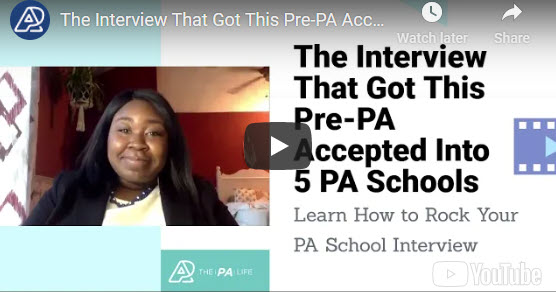
We offer 60-minute mock PA school interviews with post-interview feedback and advice. Includes a recorded video of your interview that you can watch, download, or share with family and friends. There is no better way to prepare!
Schedule an InterviewPre-PA Consulting and Advising
 Our pre-PA coaching service consists of a 1-hour phone consultation focused on addressing your specific questions or concerns about becoming a PA and applying to PA school.


Leave a Reply